Clients
Relationships · Projects · Management
Client Management
Clients are the organizations and individuals who utilize your staffing services and projects. Client management encompasses everything from initial contact and project setup to ongoing relationship management and billing.
Comprehensive profiles
Complete client information management.
Project oversight
Client-specific project tracking.
Centralized communication
Unified client communication hub.
Key Features
Essential client tools.
Client Profiles
Complete client information with contact details and billing info.
Project Tracking
Client-specific projects and job management with cost tracking.
Financial Management
Track amount due, order dates, and billing information.
Account Management
Assign account managers and track client relationships.
Advanced Search
Search by name, email, country, city, or address with instant results.
Export & Bulk Operations
Export clients to Excel and perform bulk delete operations.
Clients Management Overview
Visual guide to client management features.
This video demonstrates the complete client management workflow including client creation, profile management, project tracking, financial oversight, and advanced features like search filtering and bulk operations.
Data Grid Features
Advanced table capabilities.
Real-time Search
Search by name, email, country, city, or address with instant results.
Advanced Filtering
Server-side filtering with DataGrid filterModel support.
Column Sorting
Server-side sorting by name, email, status, country, and dates.
Row Actions Menu
View, Edit, Delete actions with proper authorization.
Server-side Pagination
Handle large datasets with configurable page sizes (10, 25, 50, 100, All).
Bulk Operations
Select multiple clients for bulk delete operations.
Column Management
Show/hide columns, adjust density, customize table layout.
Export Functionality
Export filtered clients to Excel with current applied filters.
Merge Variables (Examples)
Available merge variables for client operations.
| Variable | Description |
|---|---|
{{ client.name }} | Client's full name |
{{ client.email }} | Client's email address |
{{ client.amount_due }} | Amount currently due |
{{ client.latest_order }} | Date of most recent order |
{{ client.first_order }} | Date of first order |
{{ client.status }} | Current client status |
{{ client.account_manager_name }} | Name of assigned account manager |
{{ client.country }} | Country where client is located |
{{ client.address }} | Street address |
{{ client.city }} | City where client is located |
{{ client.company_name }} | Name of associated company |
Data Grid Visual Examples
Visual demonstrations of client management interfaces.
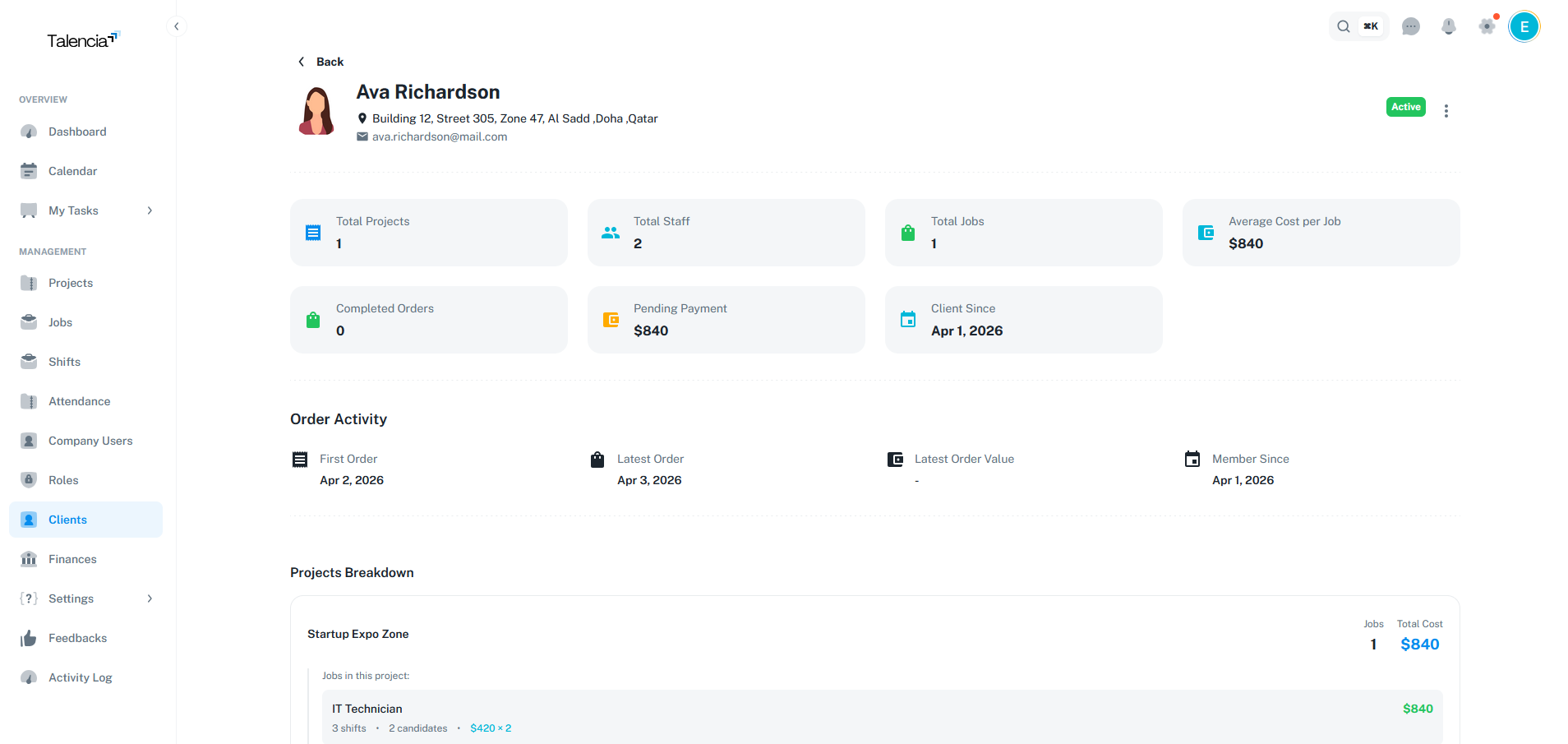
Overview Client
Client overview with comprehensive information and details
Client Types
Different client categories.
Corporate Clients
- Large organizations with ongoing staffing needs
- Multiple projects and departments
- Complex requirements and compliance
- Long-term partnership potential
Small Business Clients
- Local businesses with limited staffing needs
- Simpler project structures
- Direct communication channels
- Flexible service arrangements
Integration with Other Systems
Connected workflows.
Talent Integration
Applications and Jobs management