QR Code
Scanning · Verification · Attendance
QR Code Scanning
The QR code scanning system provides fast, secure, and accurate attendance tracking and verification capabilities. QR code technology enables efficient check-in/check-out processes, location verification, and secure access control throughout the Talencia system.
Fast scanning
Instant QR code recognition.
Secure verification
Tamper-proof authentication.
Mobile friendly
Works on all devices.
Key Features
Advanced scanning technology.
Quick Check-in
Fast attendance recording.
Location Verification
Confirm work site presence.
Security Features
Tamper-resistant verification.
Offline Capability
Function without internet.
Integration
Seamless system integration.
Best Practices
Effective scanning guidelines.
Clear Scanning
Ensure proper lighting and focus.
Device Maintenance
Keep devices charged and updated.
Location Awareness
Verify correct scanning locations.
Regular Updates
Keep QR codes current and valid.
QR Code Scanning Process
Step-by-step attendance recording.
How QR Code Scanning Works
QR Code Generation
User generates a QR code containing their UUID, timestamp, and scan type (checkin/checkout).
QR Code Scanning
Authorized scanner scans the QR code and selects the specific job and shift.
Validation Process
System validates user existence, job application status, shift availability, and timing constraints.
Attendance Recording
System creates or updates attendance record with appropriate status and timestamps.
Attendance Creation Conditions
Required validations and checks.
User Validation
- • User must exist in the system
- • User UUID must be valid and match
- • User account must be active
Application Status
- • Must have accepted application for the job
- • Application status must be 'accepted'
- • Job must match the specified job_id
Shift Validation
- • Shift must exist and belong to the job
- • Check-in time must be within shift period
- • Shift must be active and available
Time Constraints
- • Check-in must be within shift hours
- • Late arrival detection and tracking
- • Prevent duplicate check-ins for same shift
Attendance Data Structure
Recorded attendance information.
Merge Variables (Examples)
| Variable | Description |
|---|---|
{{ attendance.user_name }} | Full name of the attendee |
{{ attendance.check_in_time }} | Check-in timestamp |
{{ attendance.check_out_time }} | Check-out timestamp |
{{ attendance.total_hours }} | Total worked hours |
{{ attendance.status }} | Current attendance status |
{{ attendance.project_title }} | Associated project name |
{{ attendance.shift_name }} | Associated shift name |
{{ attendance.job_title }} | Associated job title |
Attendance Table Interface
Visual representation of attendance data.
The attendance table provides a comprehensive view of all recorded attendance entries, with filtering, sorting, and export capabilities.
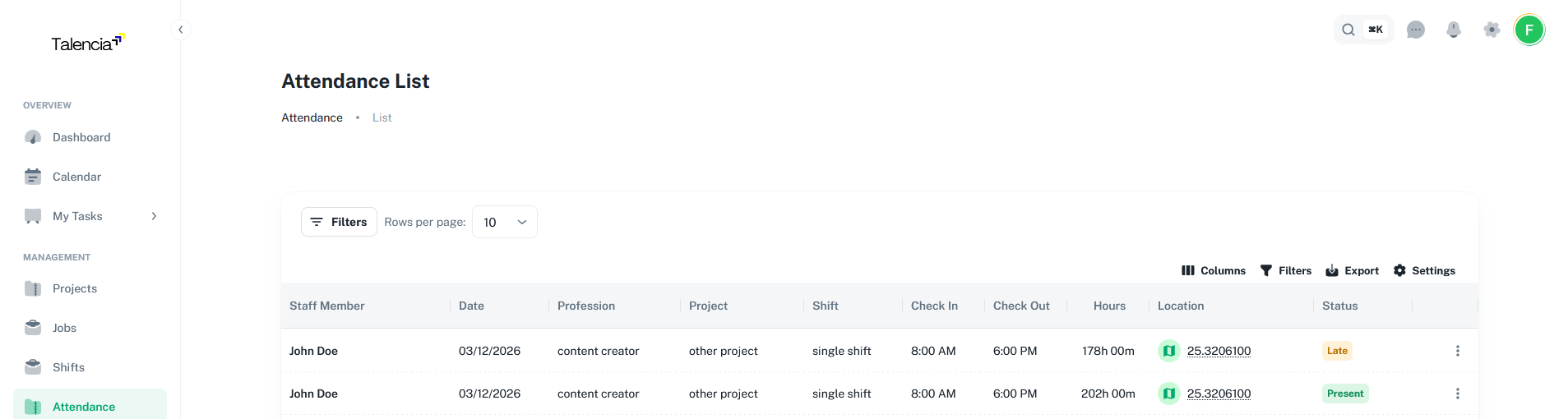
Advanced Filtering
Filter by date range, user, job, project, and status.
Real-time Data
Live attendance status and duration tracking.
Error Handling & Validation
Common scenarios and responses.
User Not Found
Returns 404 when the scanned UUID doesn't match any user in the system.
No Accepted Application
Returns 404 when user doesn't have an accepted application for the specified job.
Outside Shift Hours
Returns success but with warning when scanning outside shift time period.
Duplicate Check-in
Prevents duplicate check-ins for the same user and shift on the same day.
Integration with Other Systems
Connected verification workflows.
Connected Workflows
User Integration
Applications and Jobs verification
Mobile & Supervisor Interfaces
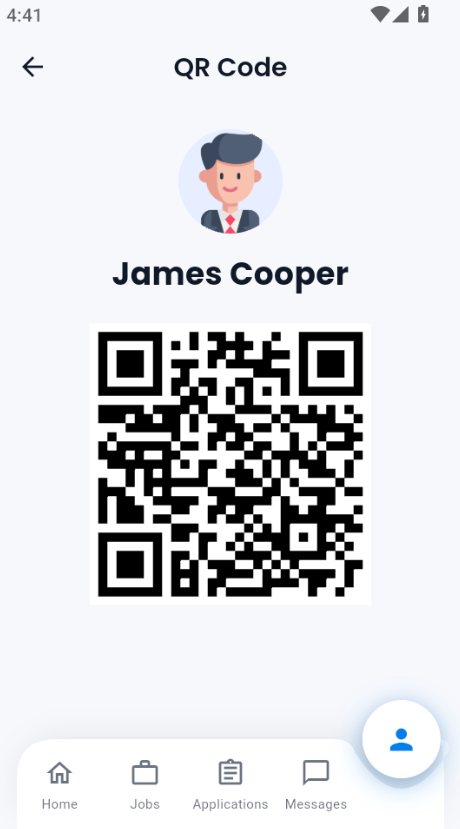
Users can access their personal QR code from the mobile app or web portal. This QR code is used for secure check-in and check-out at shifts, ensuring their attendance is accurately recorded by supervisors.
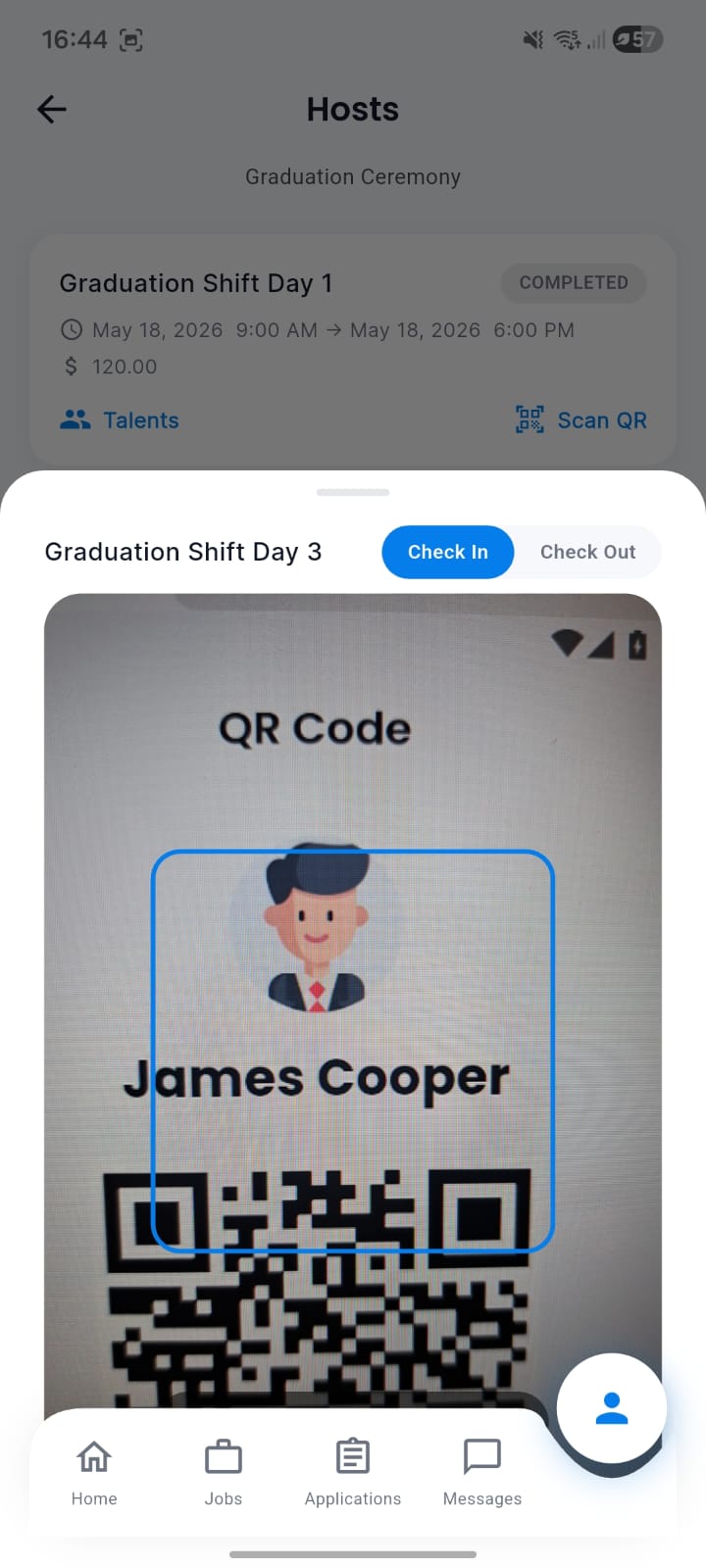
Supervisors can access a dedicated mobile interface to scan talent QR codes for attendance. The interface is optimized for quick scanning and immediate feedback, ensuring fast and reliable check-in/check-out for all shift members.
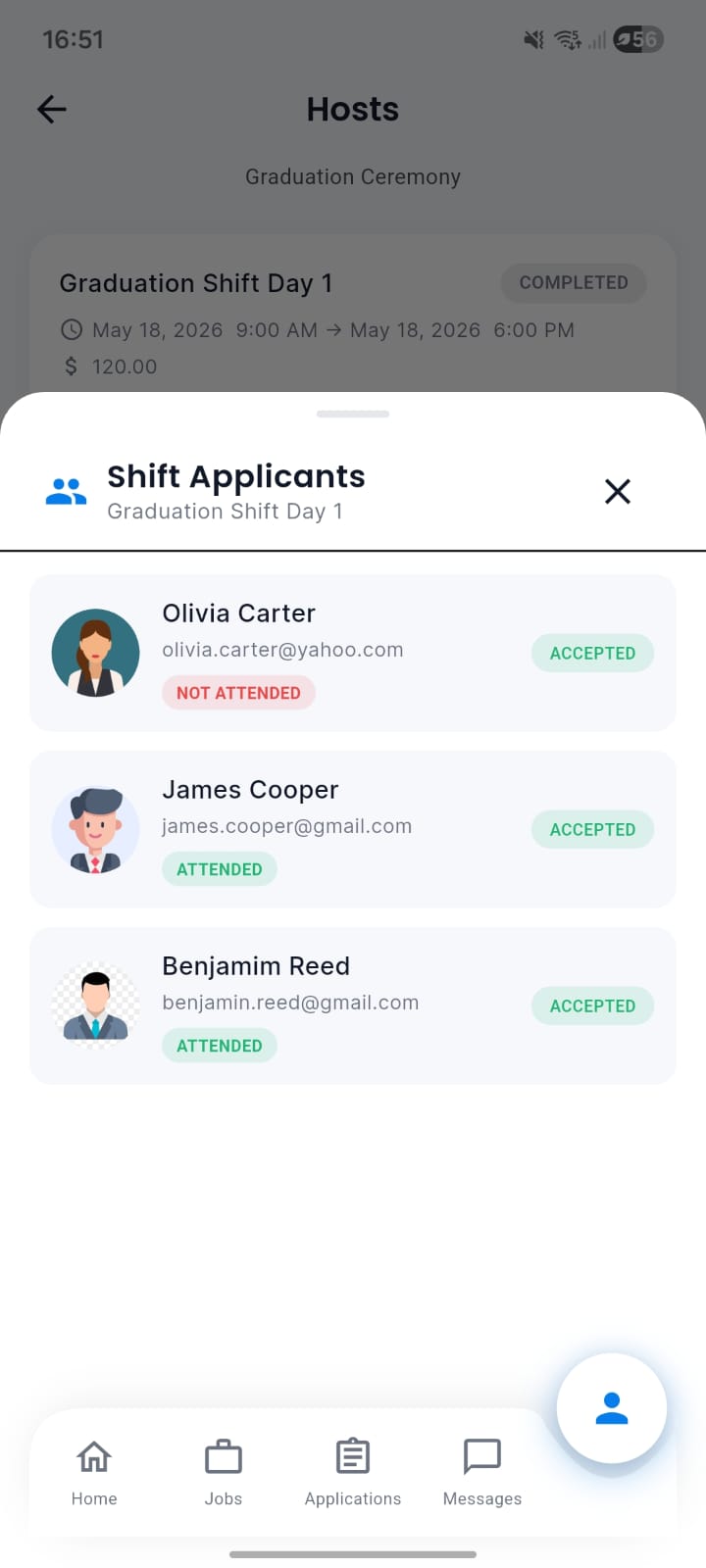
Supervisors can view a real-time list of all shift applicants, with clear indicators showing who has attended and who is absent. This list helps supervisors monitor attendance status and take action as needed during the shift.
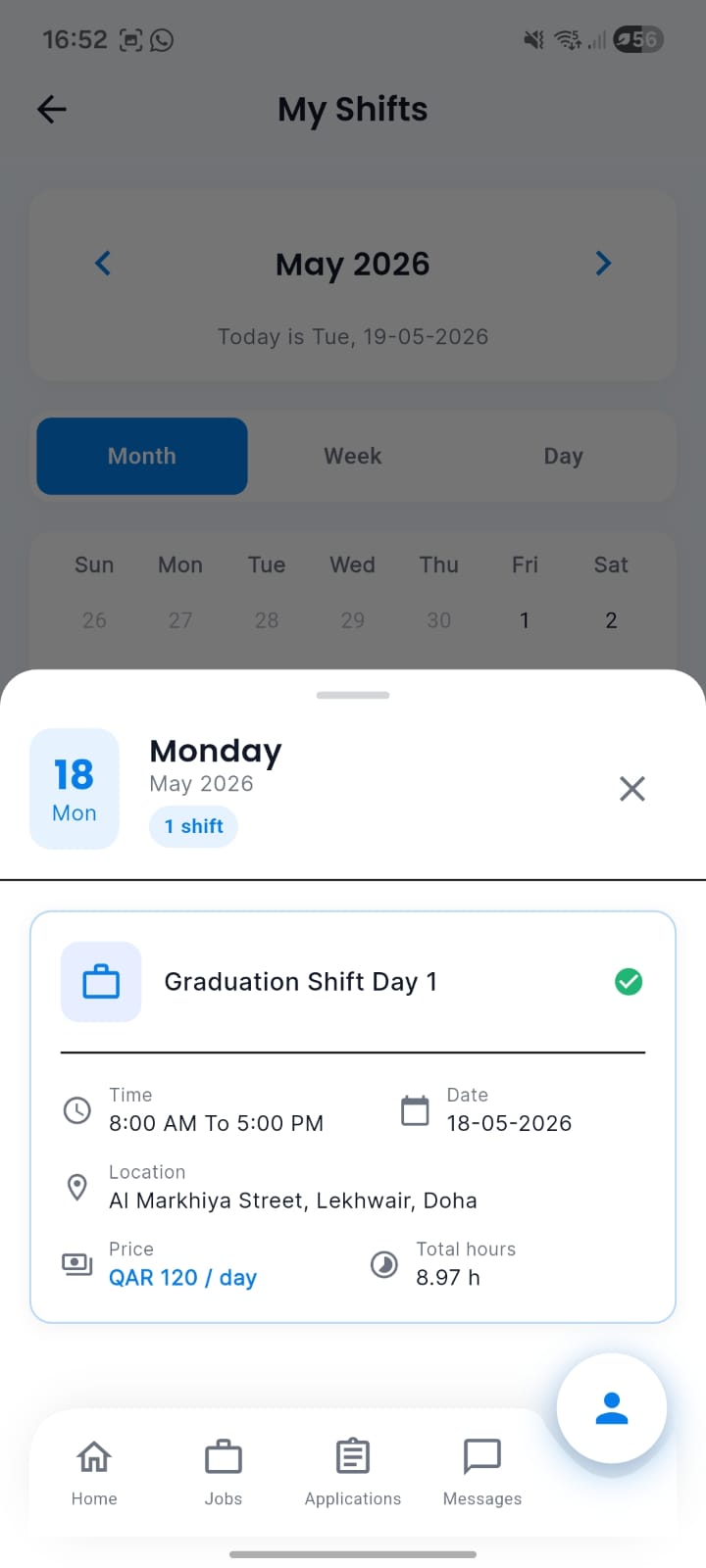
Each user can access their own shift list and see their attendance status for each day. The interface highlights attended shifts, missed shifts, and provides details for each attendance record.
Related Features
- Attendances - Primary use case for QR check-in/check-out
- Shifts - Shift-based QR code generation
- Projects - Project location QR codes
- Jobs - Position-specific QR access
- Notifications - QR scan success/failure alerts
- Finance - QR-based payment and billing